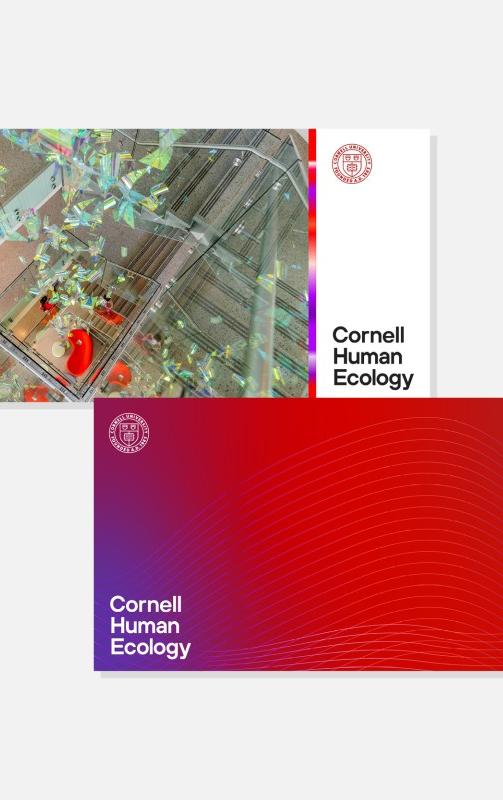
red seal with Cornell Human Ecology wordmark

Lockups and wordmarks

Official Cornell Human Ecology (CHE) lockups and wordmarks are available to members of the Cornell community to download for electronic use (e.g., email, website, social media). Please contact hecommunications [at] cornell.edu (hecommunications[at]cornell[dot]edu) to request files for print use.

Visit the Cornell University Brand Center for guidelines for using the university seal and related policies for branding elements that represent the university and its colleges, schools and units.

Download lockups for electronic use

The Cornell Human Ecology lockup (wordmark + Cornell seal) is available in 1-, 2-, and 3-line versions, in white or black text only. The red seal is only available with the black text version.

Please contact hecommunications [at] cornell.edu (hecommunications[at]cornell[dot]edu) to request files for print use.

Download wordmarks for electronic use

Please contact hecommunications [at] cornell.edu (hecommunications[at]cornell[dot]edu) to request files for print use.

How to use

Use the CHE wordmark when the Cornell seal appears elsewhere in the design or in cases where you don't need to include the Cornell seal. The Cornell seal should only appear once on any given item or page of a design.

Download the Human Centered Design wordmark for electronic use only.

Download the Nutritional Sciences wordmark (CHE version) for electronic use only.

Download the Psychology wordmark (CHE version) for electronic use only.

Please contact hecommunications [at] cornell.edu (hecommunications[at]cornell[dot]edu) to request files for print use.

How to use 

If you are creating a design that includes both a departmental wordmark and the Cornell seal, provide sufficient space between the two elements. The seal should be at least two widths away from the wordmark. For example, if the width of the seal is 1 inch, there should be at least 2 inches of clear space between it and the wordmark. 

The Cornell seal should only appear once on any given item or page of a design.
Color palette

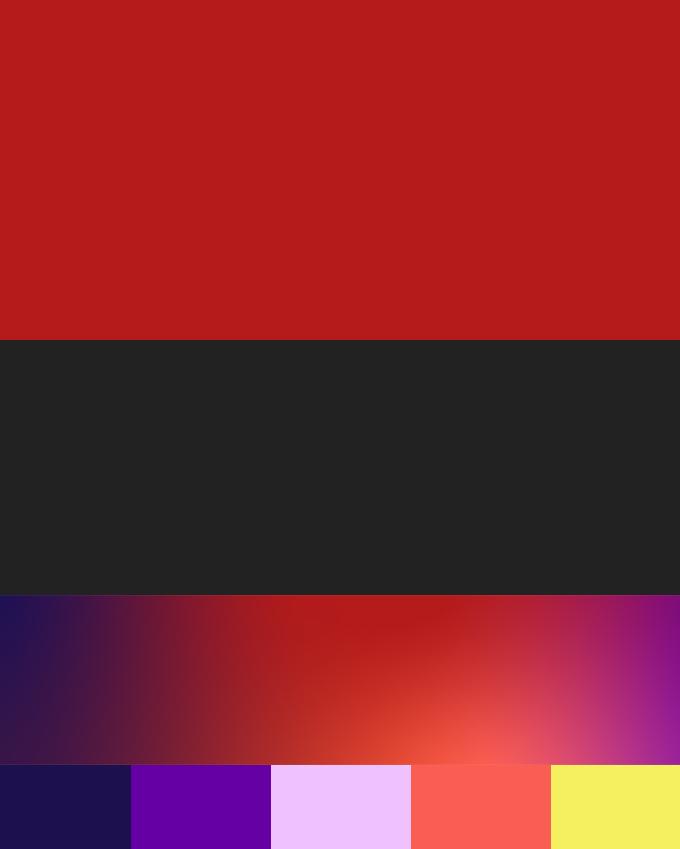
The Cornell Human Ecology color system is anchored in the university's red, white and black as a proud signal of our connection to Cornell University.

In addition to Cornell Red, a set of accent colors distinguish CHE at Cornell and beyond.

How to use the color palette

Cornell's primary brand color is red. Along with the seal, it is an immediate signal that any communication is from the university. The primary colors in any design should be Cornell Red, White, and Almost Black.

Different platforms allow for different applications of red — for example, a website vs. a shirt — so we follow the "first and only" rule when applying Cornell Red.

  • In platforms like websites or brochures that allow for multiple colors, Cornell Red should be the first (most prominent) color people see.
  • For media that are limited in color, Cornell Red should be the only color people see.

Use the Cornell Human Ecology gradient as a secondary color. Use the accent colors — Deep Purple, Bright Purple, Light Purple, Bright Red, Bright Yellow — in smaller amounts.

Color codes

Use these codes to ensure the colors appear correctly. Use the HEX or RBG codes for websites and other digital formats. Use the CMYK or Pantone codes for print formats. Please contact hecommunications [at] cornell.edu (hecommunications[at]cornell[dot]edu) to request image files for the Cornell Human Ecology gradient.

Cornell Red

HEX #B31B1B

RGB 179, 27, 27

CMYK 0, 100, 79, 20

PANTONE 187

White

HEX #FFFFFF

RGB 255, 255, 255

CMYK 0, 0, 0, 0

PANTONE  -

Almost Black

HEX #222222

RGB 34, 34, 34

CMYK 0, 0, 0, 87

PANTONE BLACK

Accent colors

Deep Purple

HEX #1C114E

RGB 28, 17, 78

CMYK 100, 100, 30, 40

PANTONE 274

Bright Purple

HEX #6400A4

RGB 100, 0, 164

CMYK 76, 100, 0, 0

PANTONE 266

Light Purple

HEX #EFC2FF

RGB 239, 194, 255

CMYK 8, 26, 0, 0

PANTONE 531

Bright Red

HEX #FA5E53

RGB 250, 94, 82

CMYK 0, 79, 69, 0

PANTONE 178

Bright Yellow

HEX #F5F060

RGB 245, 240, 96

CMYK 7, 0, 78, 0

PANTONE 101

Fonts

Primary typeface

Hoves is our primary typeface. It's a versatile and distinct geometric sans serif font. You must purchase a license to use the Hoves font.

A free alternative to Hoves is the Inter typeface. Inter is available to download from Google Fonts.

Secondary typeface

CHE's visual identity uses a secondary typeface in italics to create dynamic titles and phrases. This use is restricted to college-level projects and shouldn't be reproduced by other units.

Letterhead, business cards and other assets

To order printed letterhead and envelopes:

  1. Go to Cornell Print Services and log in.
  2. Select Cornell Business Cards, Letterhead & Envelopes > Branded School or Unit, Business Cards, Letterhead & Envelopes.
  3. Select Cornell Human Ecology and choose the item(s) you want to order.

Or download the electronic letterhead template.

Download letterhead Word template
CHE letterhead
gradient

To order business cards:

  1. Go to Cornell Print Services and log in.
  2. Select Cornell Business Cards, Letterhead & Envelopes > Branded School or Unit, Business Cards, Letterhead & Envelopes.
  3. Select Cornell Human Ecology and choose the item(s) you want to order.
Order business cards
business cards
gradient

Use this template for any college presentations.

Download the PowerPoint template (Cornell login required)
Zoom backgrounds
gradient

Members of the CHE community may use these backgrounds for Zoom or other teleconferencing platforms. 

Download the Zoom backgrounds (Cornell login required)
Zoom backgrounds
gradient

Use this template to create a CHE-branded email signature. The document contains instructions and a template to copy and paste into your email program.

Download the email signature (Cornell login required)
che email signature
gradient